Platforms

Six platforms. Built as one.

Each platform picks up what the last one already knows: the lead becomes the sketch, the sketch becomes the estimate, the estimate becomes the job, and the job becomes the numbers.

01 · CRM

Leads straight from your website.

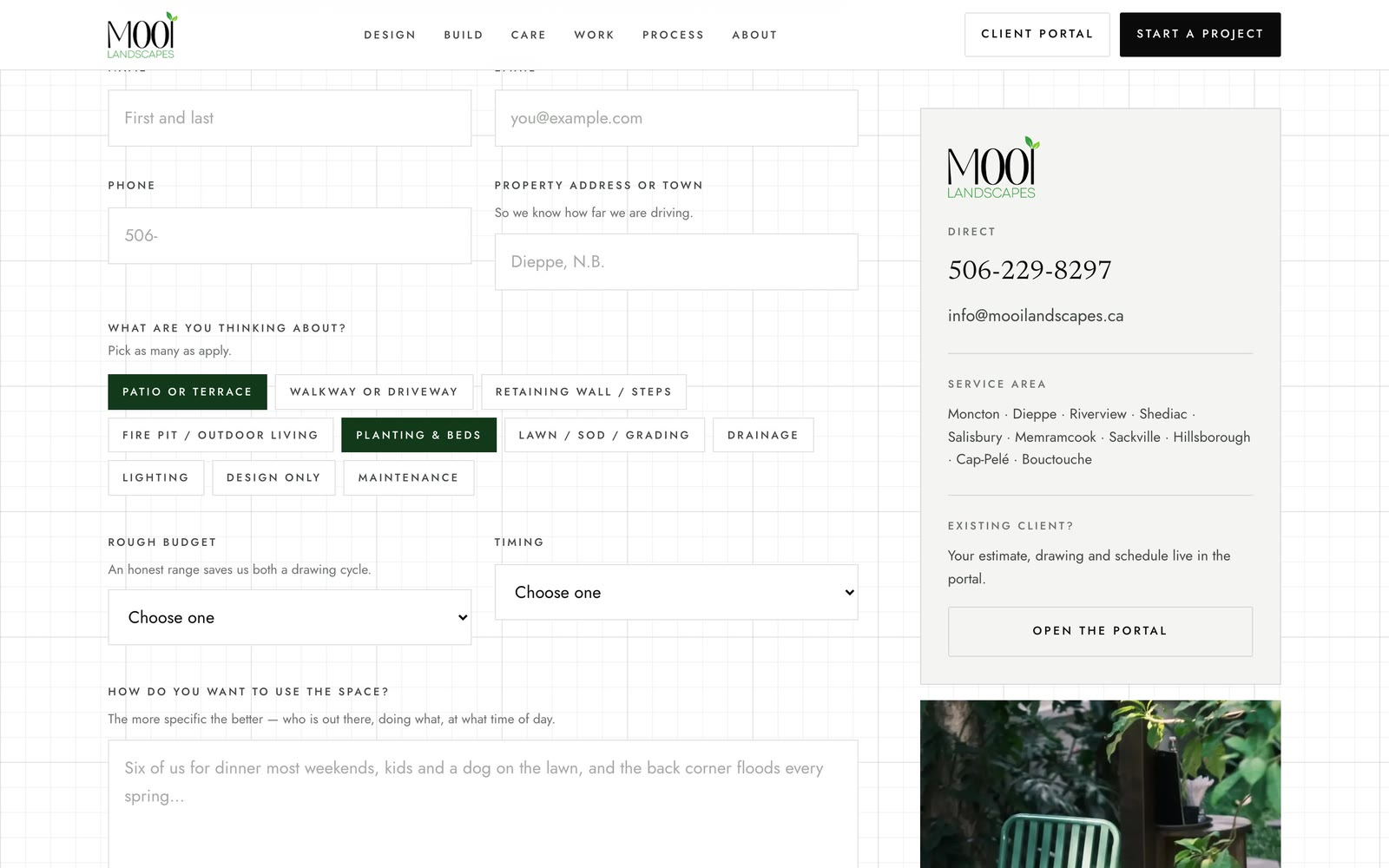
Your website collects the enquiry, the AI summarises the yard and gives a ballpark, and the lead lands in Klaarly with every detail filled in.
  • Website lead generator with an AI yard summary
  • Instant ballpark range for the client
  • Site-visit booking
  • Lead pipeline, from enquiry to won
  • One click from lead to estimate, nothing retyped
A landscape company’s website enquiry form, with scope choices, budget and timing, feeding Klaarly’s CRM
Real screen · demo business

02 · Sketch

Sketch the property on site, to scale.

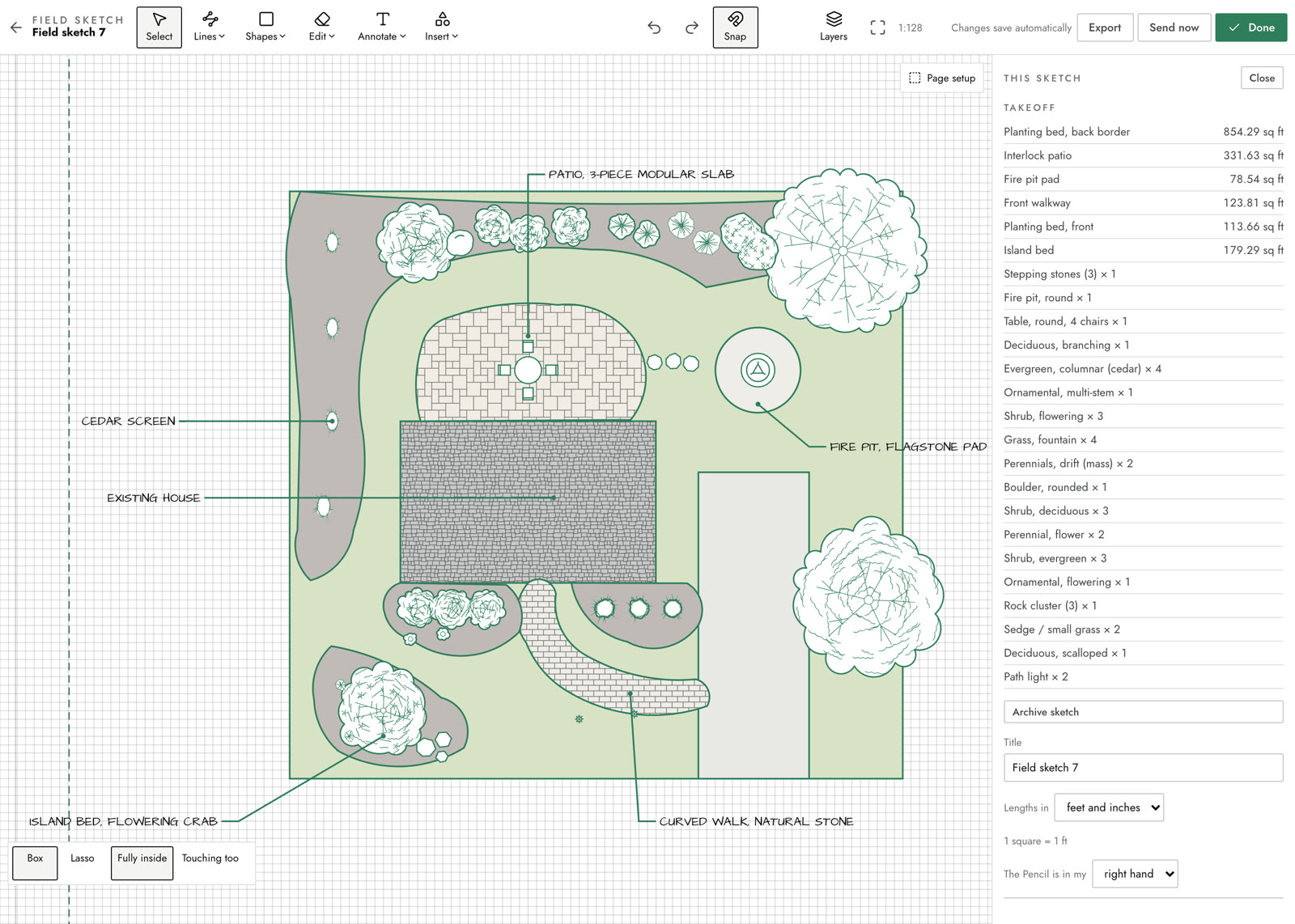
Draw the property on an iPad with the Pencil. Every area, length and plant you draw becomes a quantity in the takeoff.
  • Pencil drawing on iPad, to scale
  • Shapes, lines, curves and freehand
  • Patterns for pavers, slabs, mulch and more
  • Plant, furniture and site symbols
  • Layers, with a picture or drone shot underneath
  • The takeoff builds as you draw
  • AI takeoff straight into the estimate
  • Print to scale with your title block
A landscape plan drawn to scale in Klaarly: curved planting beds, a modular slab patio, a fire pit pad, a curved stone walk, trees and shrubs in drifts, labelled with leader lines, and the takeoff listing every area and plant
Real screen · demo business

03 · Estimating + Client

AI estimating from your catalogue. One place for your client.

Price from your own catalogue with an AI assistant at your side, then give the client a portal under your name for the whole job.
  • Catalogue and price book with your costs and markups
  • Job flows: work broken into sequenced steps
  • AI assistant that drafts and adjusts line items
  • Check this estimate before it goes out
  • Client portal under your logo
  • Colour and material choices, with priced upgrades the client can pick
  • E-signature and card deposits
  • Job updates and photos through the build
  • Warranty and care instructions at handover
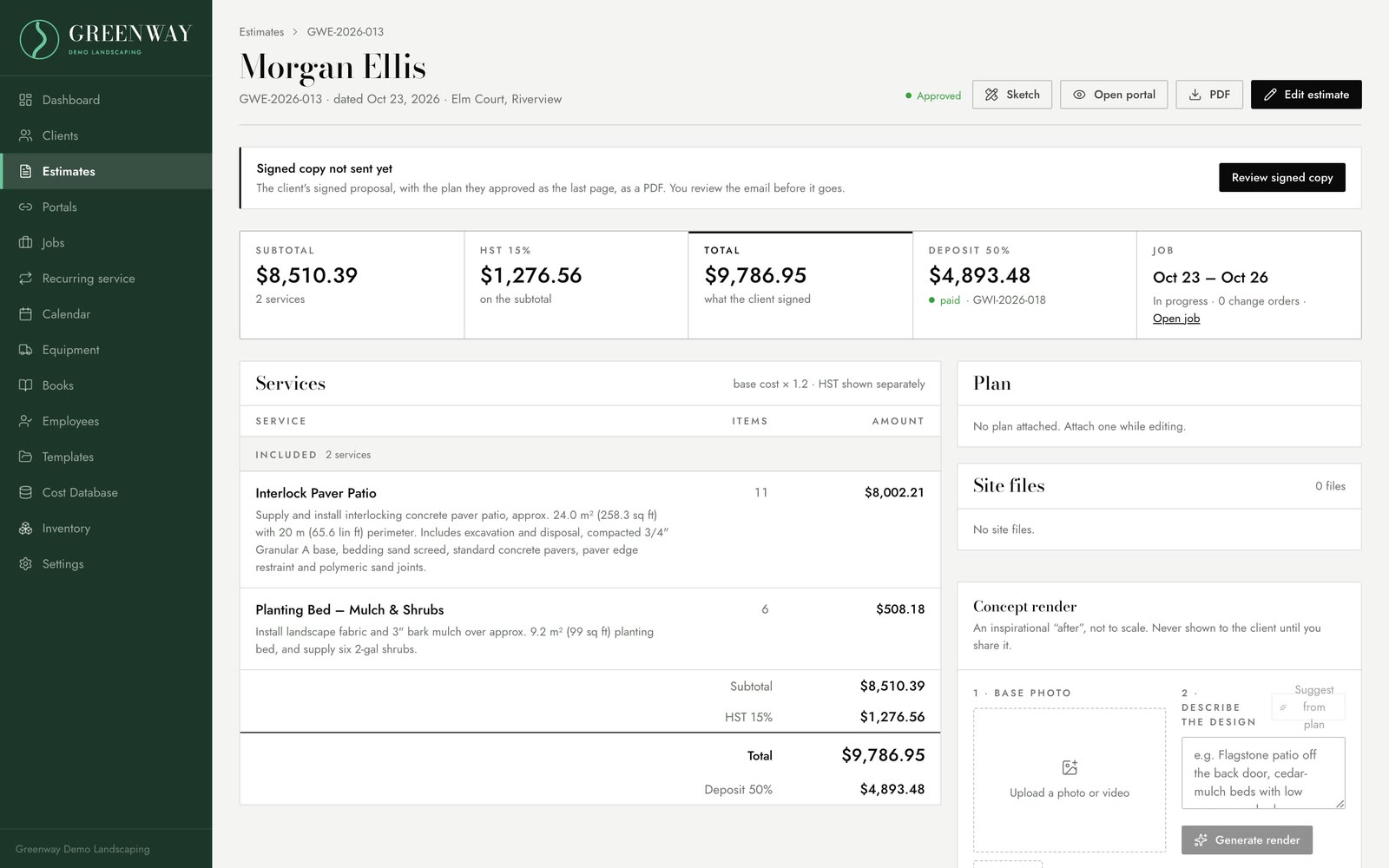
An estimate in Klaarly with an interlock patio and a planting bed, the subtotal, HST, total and deposit
Real screen · demo business
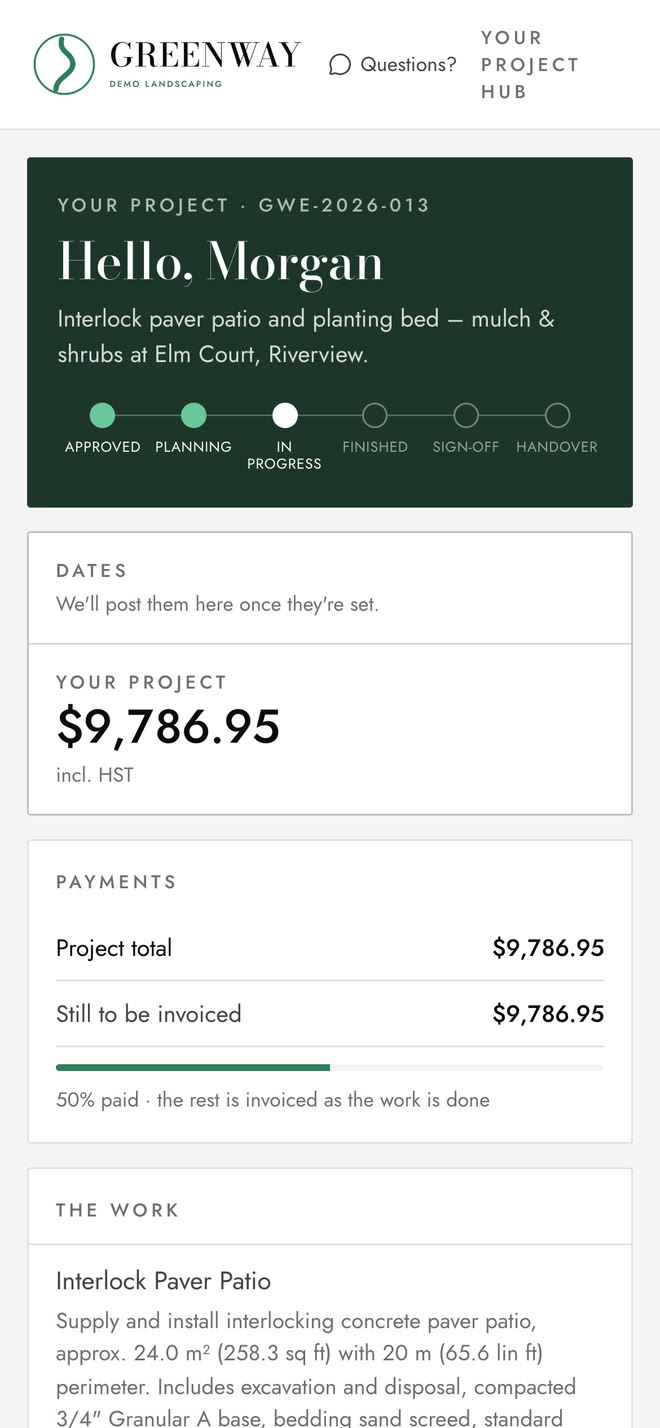
The client’s project hub on a phone: progress, payments and the work, under the company’s own brand
Real screen · demo business

03 · Client choices

Colour choices that sell the upgrade.

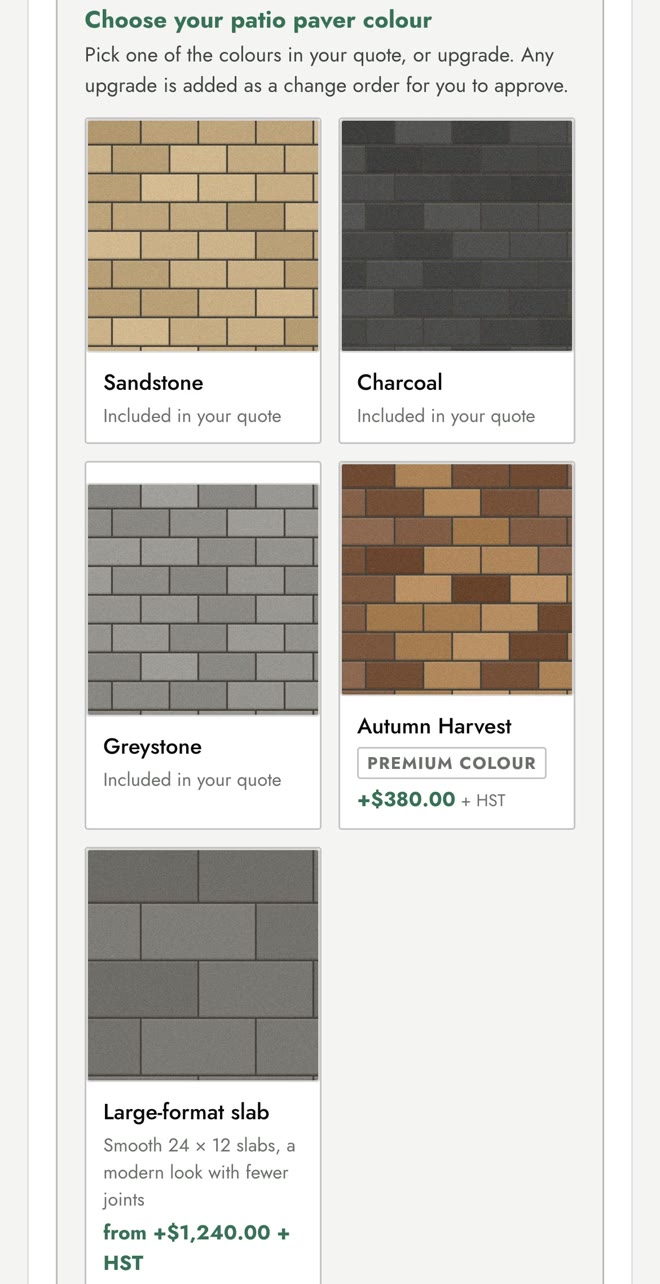
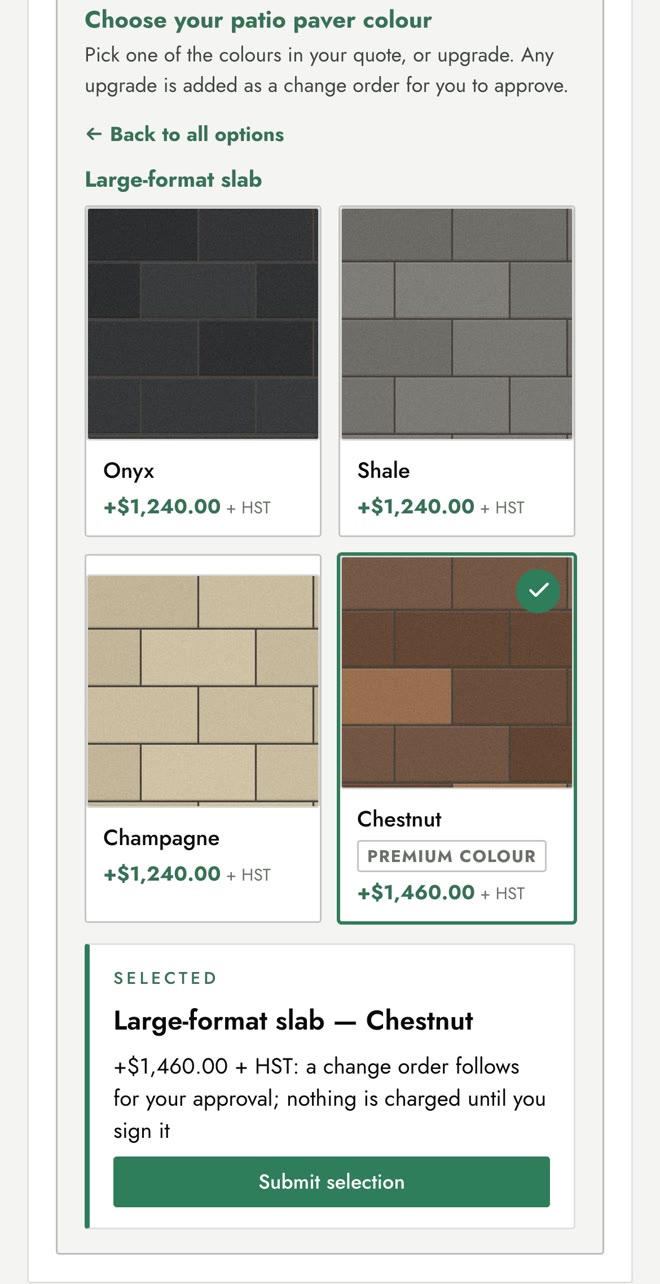
Send the client the colours their quote includes, with the premium colours and upgrade products beside them, each with its price. They tap through on their phone, and an upgrade becomes a change order for them to approve. Nobody chases a decision by text.
  • Included colours, premium colours and upgrade products on one card
  • Prices you set once in your price book, never typed per job
  • Nothing priced is sent until the office approves it
  • An upgrade becomes a change order the client signs
The client portal on a phone: a patio paver colour card with Sandstone, Charcoal and Greystone included in the quote, Autumn Harvest as a premium colour at plus $380, and a large-format slab upgrade from plus $1,240
Real screen · demo business
The client has opened the large-format slab upgrade, chosen Chestnut at plus $1,460 plus HST, and sees that a change order follows for approval before anything is charged
Real screen · demo business

04 · Scheduling + Time

Every date on one calendar. Time against the job.

Jobs, service due and training due share one calendar, and the crew clocks time against the job with everything they need on the phone.
  • Jobs, visits and appointments on one calendar
  • Equipment service and training due dates
  • Calendar feed to your phone
  • Crew clock-in with a PIN
  • Job steps, plans and materials on site
  • Expenses and receipts from the field
  • Job costing as the work happens
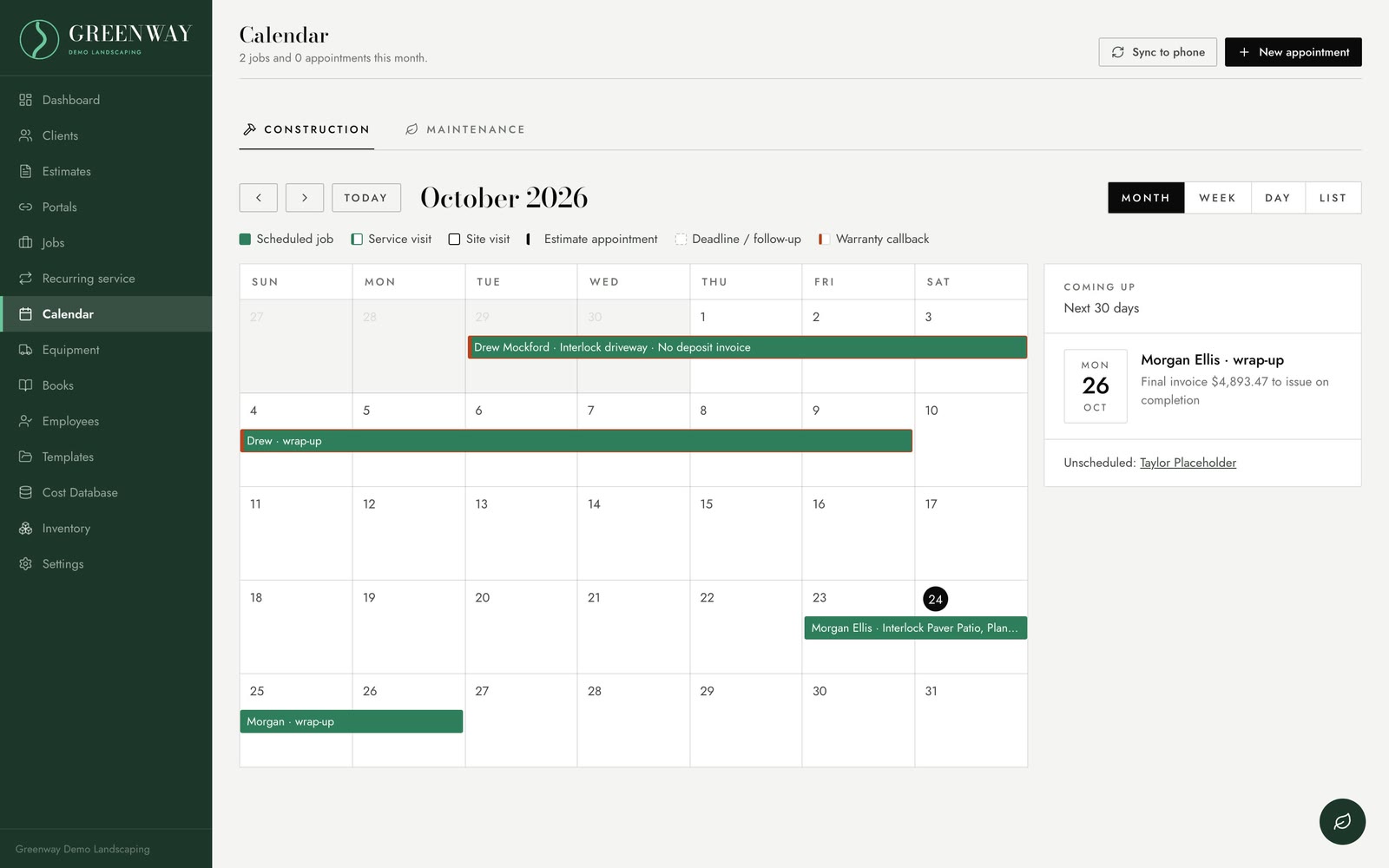
Klaarly’s calendar for October with jobs and visits
Real screen · demo business
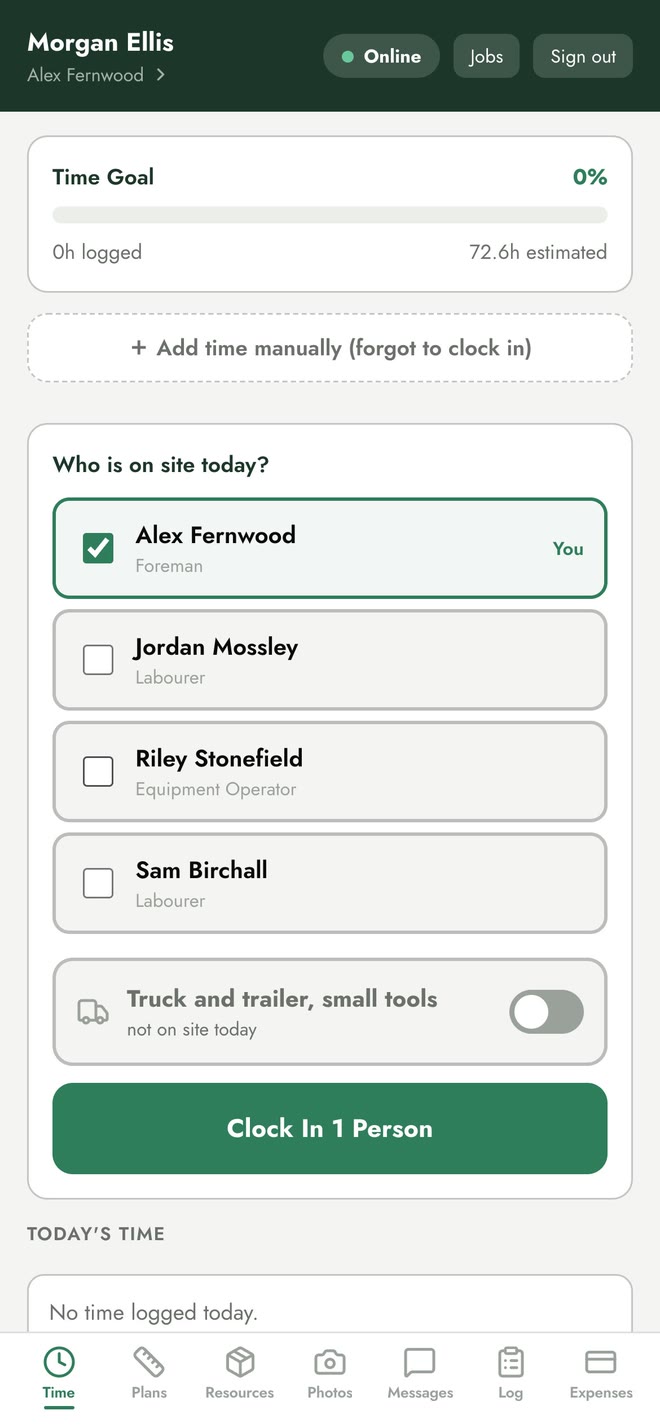
The crew job portal on a phone: who is on site today, the truck, and Clock In
Real screen · demo business

05 · Financial

The numbers, without the spreadsheets.

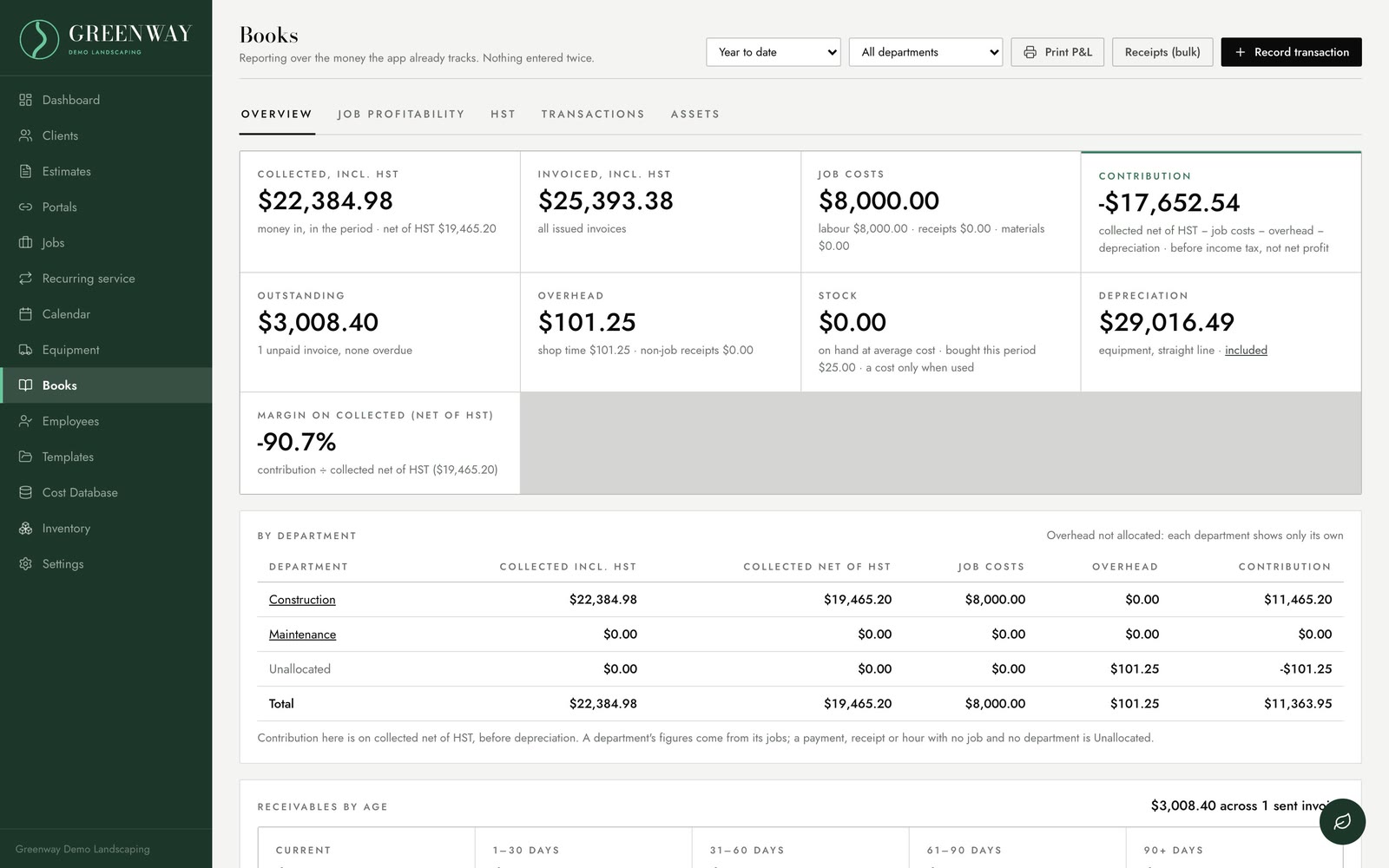
Profit and loss, budgets and overhead built from the jobs themselves, with purchase orders and QuickBooks sync.
  • P&L by department
  • Budgets and overhead
  • Custom reports
  • Purchase orders against the job
  • QuickBooks sync
  • HST figures worked out for you
Klaarly Books: money collected, net profit and a P&L by department
Real screen · demo business

06 · Fleet

Every machine, maintained and costed.

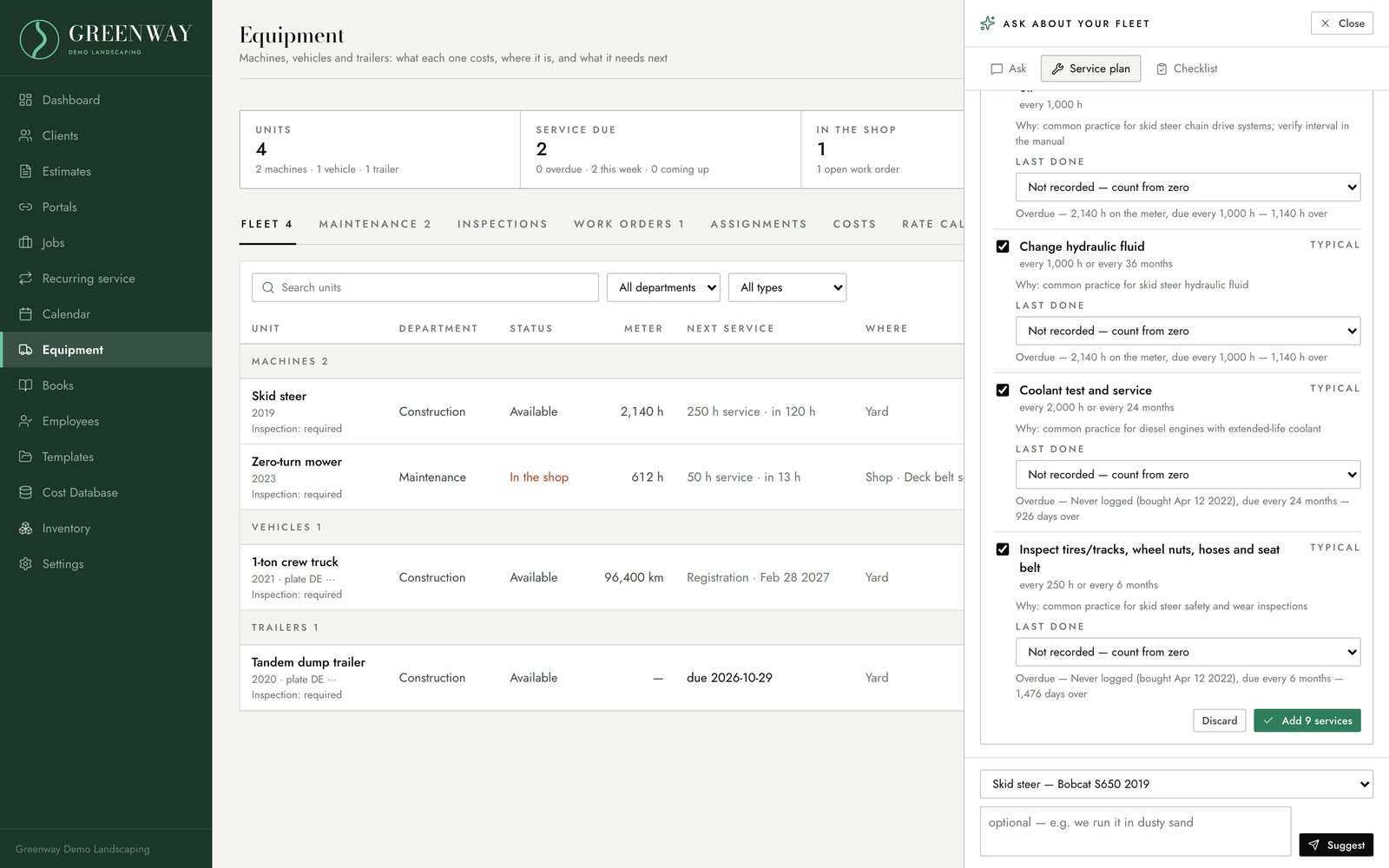
Keep every unit working and know what it really costs to run, so the rate you charge in an estimate covers it.
  • Preventive maintenance and service due
  • Repair work orders
  • Hour meters and trip inspections
  • Parts lists
  • True cost per hour, feeding your estimates
  • AI service plans for each machine
Klaarly Fleet: units with service due and cost, and the fleet assistant proposing a service plan for a skid steer
Real screen · demo business
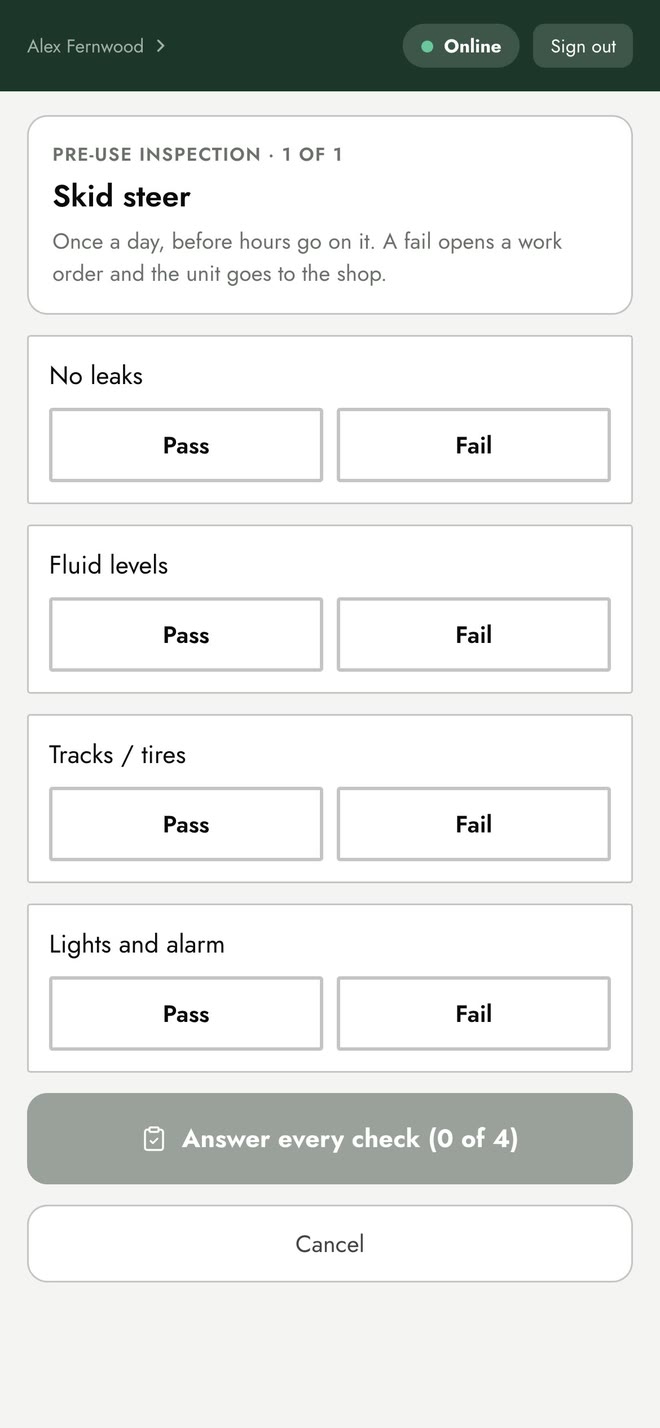
A pre-use inspection checklist for a skid steer on the crew phone: no leaks, fluid levels, tracks, lights and alarm
Real screen · demo business

Add as you grow

Add-ons

Turn these on when your company needs them.

Add-on

HR

  • Performance reviews
  • Acknowledgements and policy sign-offs
  • Goal setting
  • Coaching

Add-on

Safety + Training

  • Incident reports
  • Hazard assessments
  • SOPs
  • Learning courses with certificates
  • Training records for every employee

See it with your own work in it.

Book a demo and we’ll walk you through all six platforms on a real job, with demo records. Or call Joe at 506-229-8297.